

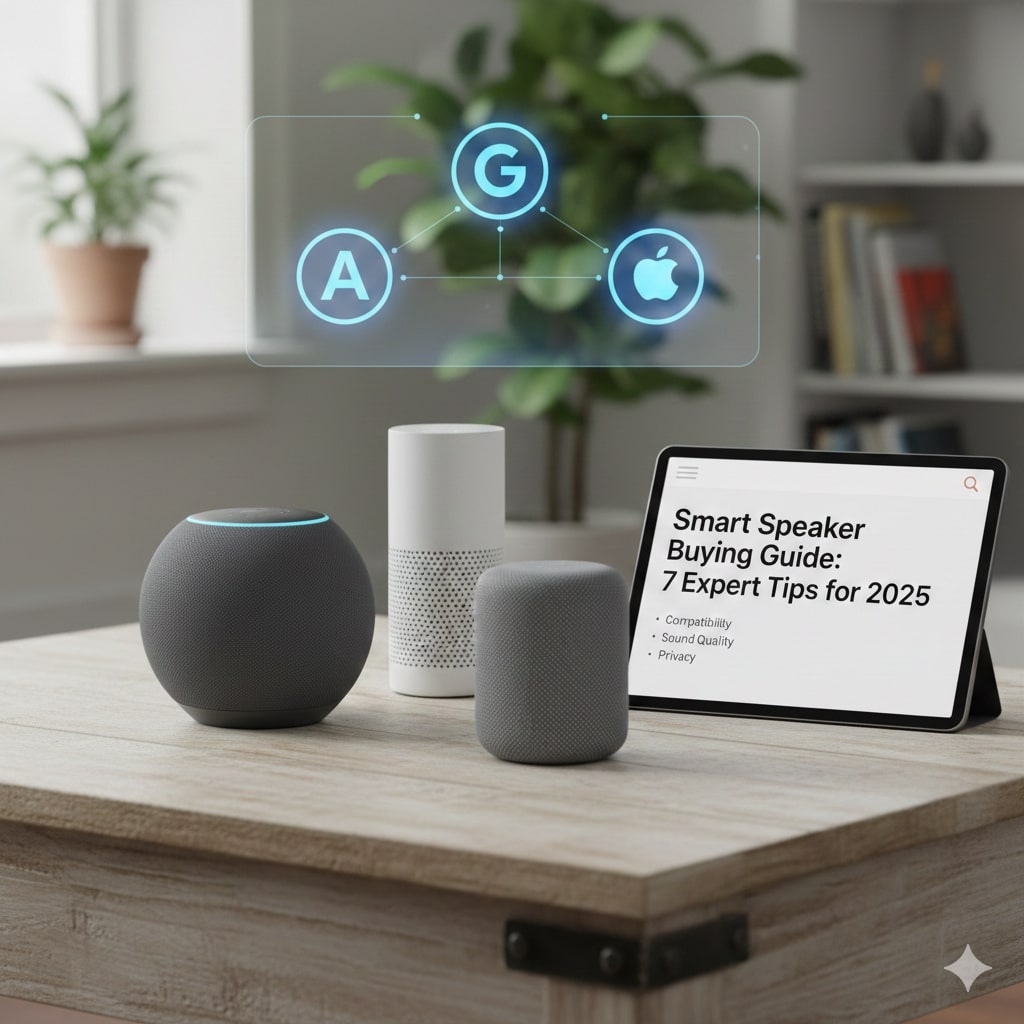
Let’s be honest, trying to pick out tech these days is confusing. If you are hunting for a no-nonsense Smart Speaker Buying Guide, you have found it. We aren’t here to drown you in technical jargon or convince you to buy the most expensive model on the shelf. We just want to help you find that perfect gadget that plays your favorite playlists and sets your morning timers without any fuss.
The most important thing to remember is that a speaker is rarely just a speaker anymore; it is usually the captain of your connected house. If you are still figuring out the basics of what is smart home technology, this decision is actually your most critical first step. Choosing the right ecosystem now means you won’t have a headache later when you try to connect smart bulbs or a thermostat, so let’s break down exactly what you need to look for.
A smart speaker is essentially a helpful computer packed into a tiny box that listens to your voice. The huge benefit is simple convenience: hands-free control for music, timers, weather, and your other smart devices. The trick is making sure the one you choose actually works with the gadgets you already own, which is exactly what our guide is here to help you figure out.
The 7 Expert Tips of the Smart Speaker Buying Guide
- The Core Decision: Picking Your Voice Assistant
- Compatibility: Does It Play Nice With Your Gadgets?
- Sound Quality vs. Smart Features
- Size and Placement: Where Will This Thing Live?
- Privacy: Is Your Speaker Always Listening?
- Must-Have Features You Should Look For
- The Price Check: How Much Should You Spend?
Okay, so that’s our game plan. We’ve broken down the whole confusing smart speaker world into just seven easy steps for our Smart Speaker Buying Guide, covering everything from the brainy side of the assistants to the simple stuff like where the speaker will actually live. Now, let’s stop messing around and jump into the first and most critical decision you have to make. Getting this one right will make the rest of your choices super simple.
1. The Core Decision: Picking Your Voice Assistant
This is the big one. In this Smart Speaker Buying Guide, choosing your voice assistant is like choosing a phone operating system: you are committing to a whole world of apps, gadgets, and habits. Your smart speaker is just the gadget, but the assistant, whether it’s Alexa, Google, or Siri, is the actual brain inside. Before you worry about sound quality or price, you need to decide which brain fits your life best, because switching later is a massive headache.
Alexa: The Smart Home Veteran

Alexa, run by Amazon, is still the king when it comes to controlling the most stuff. If you love having options and want to make sure your speaker works with that random smart light bulb you bought three years ago, Alexa is probably your best bet. It supports the widest range of third-party devices and has the biggest library of “Skills” (which are like little apps for your speaker). It also ties in perfectly with your Amazon shopping, package tracking, and Fire TV. Plus, its devices, like the Amazon Echo Dot 5th Gen, are often the most affordable way to get started.
Google Assistant: The Brainy Researcher
If you feel like your smart speaker should also be really, really smart at answering random trivia, go with Google. Since it has the entire Google search engine knowledge base behind it, it’s unbeatable at conversational questions. You can ask it multiple, complex questions one after the other, and it usually keeps up with the conversation better than the others. If you live on Android, use Google Calendar, or rely on Google Maps, this assistant just fits right into your existing routine and handles those follow-up questions beautifully.
Siri (Apple HomePod): The Ecosystem Specialist
Siri is designed for people who are all-in on Apple already. If your house is full of iPhones, iPads, and MacBooks, the HomePod and HomePod Mini speakers give you that seamless, “it just works” experience. Siri is the most locked-down system, prioritizing privacy and tight integration with Apple’s own apps like Messages and FaceTime. The downside? It doesn’t play as nicely with gadgets outside the Apple HomeKit system as Alexa or Google do, and the speakers themselves tend to come with a higher price tag.
Pick Alexa if you need maximum compatibility with lots of smart gadgets and do a lot of shopping on Amazon. Go with Google Assistant if you need a brainiac that can answer complex questions and search for answers better. Stick with Siri only if your entire house is already running on Apple devices like iPhones and Macs.
2. Compatibility: Does It Play Nice With Your Gadgets?
This tip is the part of your smart speaker buying guide that saves you a major headache later. We all love having cool gadgets, but it’s super annoying when your smart light bulb from Brand A won’t listen to the speaker from Brand B. Compatibility is just about making sure everything in your home can talk to each other without having a translator app in the middle.
If you already own smart plugs, a thermostat, or a camera, stop right here and check the box. Does it say “Works with Alexa,” “Works with Google Home,” or “HomeKit”? Whatever name you see the most is probably the ecosystem you should stick with. Making sure everything is compatible is the most critical step of this smart speaker buying guide. Remember, the speaker you pick is the heart of your smart home technology, so choosing a different brand means you might have to run two separate apps just to turn off your bedroom light. Nobody wants that.
The good news is that things are finally getting easier, thanks to a new industry standard called Matter. This is basically a promise from huge companies like Amazon, Google, and Apple that certified devices will all speak the same language. For you, this means if a new smart device has the Matter label, you can buy it knowing it should connect to your speaker, regardless of which voice assistant you chose. It’s definitely worth looking for that logo to future-proof your setup. You can read more about what the Matter standard is if you want to dive deep into the technical side.
If you only take one thing away from this section, make it this: check your other gadgets first. Your smart speaker has to be the same brand or friendly with everything else you own, otherwise nothing will work together. For the best, worry-free choice going forward, look for the Matter logo on new smart devices to ensure they are future-proof.
3. Sound Quality vs. Smart Features
This is where the money usually goes, and it’s the section of our Smart Speaker Buying Guide that asks you to be honest about your habits. A smart speaker is a mash-up of two things: a wireless speaker and a voice assistant. Most companies have to cut corners somewhere to hit a certain price point, meaning you usually have to choose between an amazing sounding speaker that is “just okay” at the smart stuff, or a super smart robot helper that sounds a little thin when playing music.
The little, cheaper puck-shaped models (the entry-level Echo Dots or Nest Minis) are fantastic for getting the weather, setting kitchen timers, or controlling your living room lights. But if you try to throw a party with one, the music is going to sound pretty weak. On the flip side, you have high-end speakers from brands like Sonos or the larger Echo Studio. These sound incredible and can easily fill a big room with rich audio, but they come with a hefty price tag because you’re paying for huge drivers and better sound engineering.
So, here’s the quick takeaway for this part of the smart speaker buying guide: If you already have a great stereo system and just need a speaker in the kitchen for timers and news, grab a small, budget-friendly one. If this new gadget is going to be your main music player in a living room or office, skip the cheap stuff and prepare to pay extra for a speaker that actually prioritizes sound quality.
When you look at the price tag, remember you’re buying two things. If you just need a cheap gadget for timers and light control, the budget mini-speakers are totally fine. If you actually plan on listening to music in a main room, you have to spend more money on a speaker that has been engineered for good sound, not just smart features.
4. Size and Placement: Where Will This Thing Live?
The physical size of your smart speaker isn’t just about how it looks; it’s a crucial part of your smart speaker buying guide because it directly affects how the music sounds. A tiny speaker trying to fill a massive living room will sound thin, while a huge one crammed onto a small counter will rattle the room. The simple rule is to match the speaker size to the room: tiny speakers for bedrooms, and bigger ones for main living areas that need a clean, full sound.
Placement is everything, especially if you care about music quality. Avoid shoving the speaker right into a corner or flat against a wall. That usually makes the bass sound boomy and muddy because the sound waves get trapped and reflect back too quickly. The speaker needs a bit of breathing room, ideally at least 8 to 12 inches away from any major wall boundary. You can read more about why speaker placement matters for bass if you want to geek out on the audio physics.
Finally, think about the voice assistant part of the smart speaker buying guide. If you put the speaker tucked away in a corner, it might have trouble hearing you when you talk from the opposite side of the room. Try to put it in a central, uncluttered spot where it has 360-degree access to your voice commands, which is key if you plan on yelling across the house to control lights or set timers.
Don’t pick a huge speaker for a small room, or a tiny speaker for a large one. Once you have the right size, remember placement is key: avoid shoving the speaker into a tight corner (it ruins the bass) and try to put it somewhere central so your voice assistant can hear you clearly from anywhere.
5. Privacy: Is Your Speaker Always Listening?
This is the big question, and frankly, it’s the most important tip in our entire smart speaker buying guide. Let’s clear up the confusion: yes, your speaker’s microphone is technically always on so it can listen for the “wake word” like “Alexa” or “Hey Google.” Think of it as waiting patiently. It’s only supposed to start recording and sending audio to the cloud after it hears that word. The problem is, sometimes it mishears the wake word and starts recording private chats by mistake.
You are not totally helpless here, though. Every decent smart speaker today has features to put you back in control. Look for a device that has a physical mute switch. This is a button you press that electronically disconnects the microphone. If the light on the speaker is glowing red, you know for sure no one is listening—not even the wake word.
Beyond the physical switch, you must get into the app settings. A key part of being a smart owner is knowing you can go in and delete your voice history, or even set it to automatically erase recordings older than a few months. Most companies now also let you opt out of having your recordings reviewed by humans, which is a huge peace of mind. For a great breakdown on how to lock down your settings, check out this Smart Speaker Privacy Guide from Consumer Reports. Taking these simple steps is a must-do, no matter which device you pick, making this the most crucial step in any smart speaker buying guide.
The short answer is they’re listening for the wake word, but not recording everything. To stay safe, the most essential feature is the physical mute button which electronically shuts off the mic. Always remember to go into the app settings later to delete your voice history and stop companies from having people review your clips.
6. Must-Have Features You Should Look For
So far, our smart speaker buying guide has focused on the big stuff: the brain, the compatibility, and the sound. Now let’s quickly cover some smaller, very useful features that can change how you use the speaker every day. These are the things that separate a basic speaker from a truly helpful one.
1. Multi-Room Audio
If you live in an apartment, this is nice. If you live in a house, this is a must-have. Multi-room audio is the ability to play the same song on every single speaker in your house at the exact same time. Think of hosting a party or doing chores; the music follows you seamlessly. Most assistants handle this well, but setting up a proper multi-room audio system makes a huge difference. You can read more about the benefits of multi-room sound systems to see why it’s worth the investment.
2. Intercom & Announcements
This is the feature that parents and roommates love. You can use your speaker like an old-school intercom. Just say, “Alexa, announce dinner is ready,” and your voice will play out on every speaker in the house. Amazon calls their version “Drop In,” which is like opening an immediate two-way call to another room. It’s way faster than yelling up the stairs or calling someone’s phone.
3. Stereo Pairing
If you bought a mid-range smart speaker, you have the option to buy a second identical speaker and pair them together to create a true stereo pair. This dramatically improves the sound quality, giving you left and right channels just like a normal stereo system. If you are aiming for high-quality music playback, this is a crucial feature to check off on your smart speaker buying guide list.
Don’t forget the fun features! Look for Multi-Room Audio if you want music to follow you through the house seamlessly. Intercom is great for quickly calling the kids downstairs. And if you care about music quality, always check if the model allows Stereo Pairing so you can connect two speakers for a much richer sound.
7. The Price Check: How Much Should You Spend?
The last step in this smart speaker buying guide is probably the most painful: figuring out how much damage this purchase is going to do to your wallet. The good news is that the price range is huge, running all the way from super-cheap entry-level devices to high-end audio gear. This means you can definitely find a speaker that fits your needs and your budget.
We can break the market down into three simple price tiers:
Tier 1: The Budget Starter ($30 – $70)
These are the tiny puck-shaped speakers. They’re great for dipping your toes into the smart home world. They are fantastic for the kitchen or bedside table where you just need to set a timer, check the weather, or quickly control the lights. They have all the core smart features but the music quality is just okay—definitely not built for rocking out.
- Example: The Amazon Echo Dot (5th Gen) or the Amazon Echo Pop.
Tier 2: The Mid-Range Sweet Spot ($100 – $200)
This is where you get a huge jump in sound quality without having to mortgage your house. These speakers are large enough to deliver room-filling sound and are the perfect balance of music performance and smart features. They are great for living rooms and main offices. They often include extra features like built-in smart home hubs to directly control more devices.
- Example: The Amazon Echo Show 8 or the Amazon Echo Dot Max.
Tier 3: The Premium Audiophile ($200 and up)
If your primary goal is the absolute best sound quality, and the smart features are just a bonus, this is your category. These devices often include advanced features like spatial audio, room-sensing technology, and powerful drivers that audiophiles love. They’re excellent if you plan on replacing a traditional stereo system or creating a multi-speaker home theater setup. This last step in our smart speaker buying guide is for music lovers who need the best audio experience possible.
- Example: The Amazon Echo Studio or the Sonos Era 100.
When setting your budget, remember what you’re buying it for. If you just need a timer and basic smart home control, stick to the Budget Tier ($30-$70). If you want decent music and smart features, the Mid-Range Tier ($100-$200) is the sweet spot. Only jump to the Premium Tier if you are replacing your main stereo system and absolutely need the best audio quality.
Final Verdict: Your 7 Tips Recap
We’ve covered a lot of ground in this smart speaker buying guide, moving from the brain of the device all the way down to the price tag. The whole point of a smart speaker is to make your life simpler, so don’t let the decision stress you out! Before you hit the “Buy Now” button, run through this quick checklist one last time.
Here are the 7 expert tips summarized into a simple action plan:
- 1. Choose Your Brain First: Stick with the voice assistant (Alexa, Google, or Siri) that best fits your lifestyle and phone habits.
- 2. Check Compatibility: Make sure your new speaker can actually talk to all your existing lights and plugs. Look for Matter support!
- 3. Decide on Sound: Are you buying a quality music player or just a voice command controller? Your answer sets your price range.
- 4. Plan Placement: Match the speaker size to the room size, and give it some breathing room away from walls and corners.
- 5. Lock Down Privacy: Always prioritize a model with a physical microphone mute switch and regularly delete your voice history.
- 6. Pick Key Features: If you live in a big house, multi-room audio and intercom/announcements are must-haves.
- 7. Stick to Your Budget: Pick your price tier based on whether you need premium sound or simple convenience.
Following this smart speaker buying guide will ensure you get a device that works exactly how you expect it to, without any annoying surprises. Now go out there and enjoy your new smart home captain!
[…] still weighing your options between this and other competitors, definitely read our comprehensive Smart Speaker Buying Guide to weigh your needs against the available […]
[…] In this comparison we break down the Echo Dot 5 vs Nest Mini 2 across seven categories to help you decide where your money is best spent. If you’re new to smart speakers or want a deeper look at the basics first, check out our smart home buying guide at https://techsensepro.com/smart-speaker-buying-guide […]
[…] Smart Speaker Buying Guide: 7 Expert Tips for 2026 — For buyers who want to understand the full market before committing. […]