

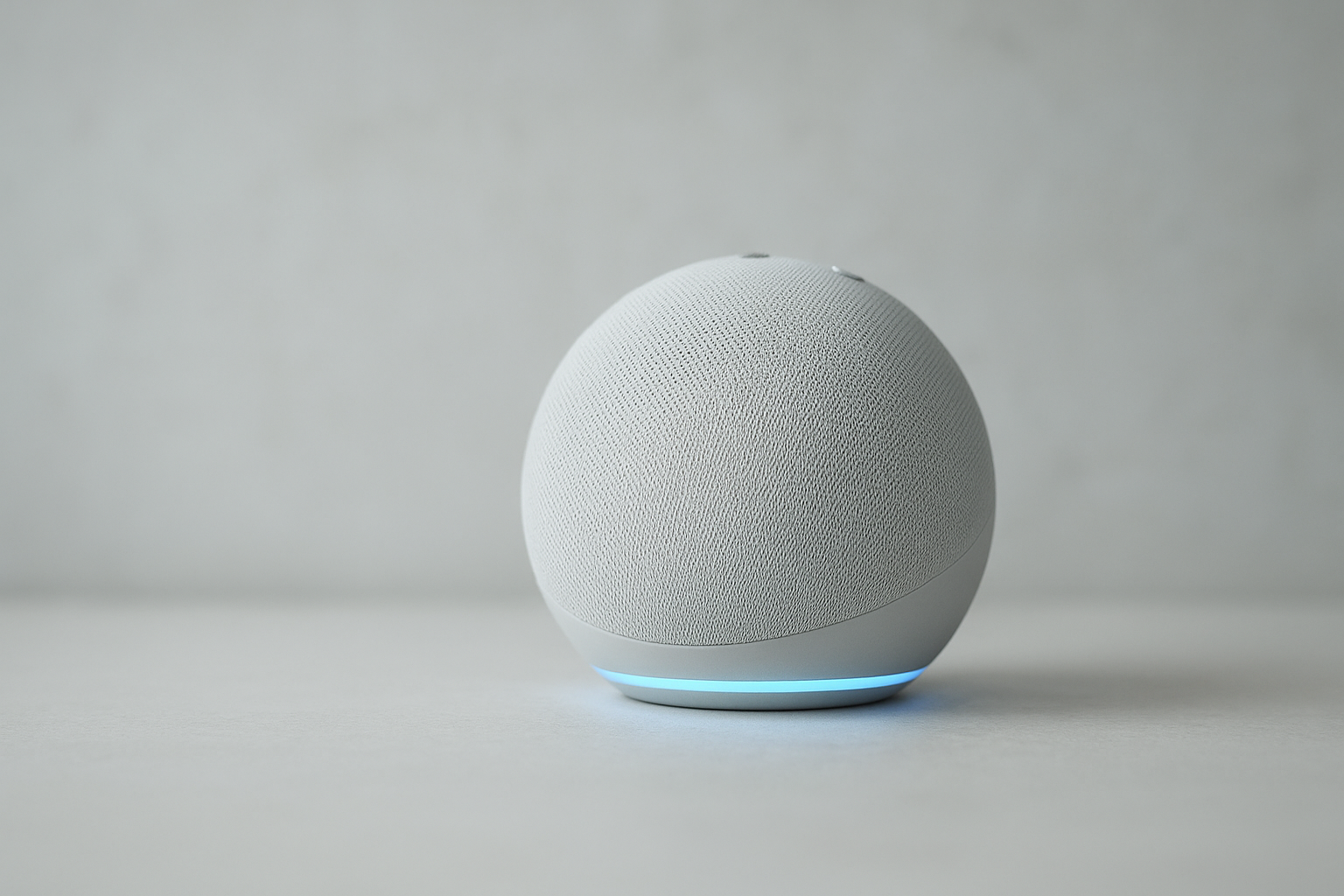
The Amazon Echo Dot 5th Gen is one of the best budget smart speakers you can buy right now, and it earns that title without much argument.
At around $50, it delivers noticeably better sound than its predecessor, faster Alexa responses, and reliable smart home control in a compact design that fits just about anywhere. It’s not a perfect device, and it’s not a dramatic leap from the 4th Gen, but for most people looking for an affordable, easy-to-use smart speaker in 2026, it’s the right call.
In this review, we cover everything you need to know: what’s actually improved, how it sounds in real use, how it stacks up against the Google Nest Mini and Apple HomePod mini, and who should (and shouldn’t) buy it.
Amazon Echo Dot 5th Gen Review From Our Editors
Our Verdict: 4 out of 5
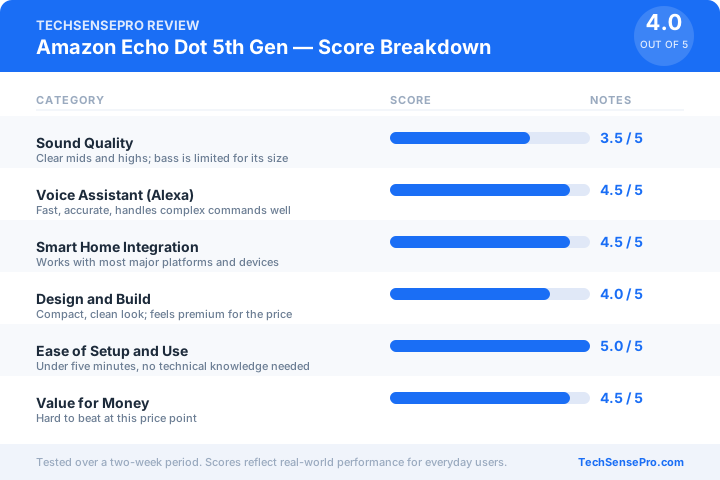
The Echo Dot 5th Gen is the smartest, easiest way to get into the Alexa ecosystem at a budget price. Sound quality is better than you’d expect for a $50 speaker, Alexa is fast and reliable, and setup takes under five minutes. It’s not a must-upgrade if you own the 4th Gen, but for new buyers or anyone adding a speaker to a new room, it’s an easy recommendation.
Tested for: music playback, smart home control, voice responsiveness, daily task management, and multi-room audio across a two-week period.
| Category | Score | Notes |
| Sound Quality | 3.5 / 5 | Clear mids and highs; bass is limited for its size |
| Voice Assistant (Alexa) | 4.5 / 5 | Fast, accurate, handles complex commands well |
| Smart Home Integration | 4.5 / 5 | Works with most major platforms and devices |
| Design and Build | 4 / 5 | Compact, clean look; feels premium for the price |
| Ease of Setup and Use | 5 / 5 | Under five minutes, no technical knowledge needed |
| Value for Money | 4.5 / 5 | Hard to beat at this price point |
| Overall | 4 / 5 | Best budget smart speaker for most buyers |
Pros and Cons
| Pros | Cons |
|---|---|
| Noticeably better sound than the 4th Gen, especially at mid and high frequencies | Not a meaningful upgrade if you already own the 4th Gen |
| Alexa responds faster and handles multi-step commands more reliably | Bass is thin; not suitable as a primary music speaker for larger rooms |
| Works with thousands of smart home devices across most major platforms | Occasional lag when controlling third-party smart home devices |
| One of the most affordable ways to start or expand an Alexa smart home setup | Multi-room stereo requires a second Echo device, sold separately |
| Setup takes under five minutes with the Alexa app, no technical knowledge needed | Always-on microphone raises privacy concerns for some users |
What is the Amazon Echo Dot 5th Gen?
The Amazon Echo Dot 5th Gen is Amazon’s most popular smart speaker, now in its fifth generation. It’s a compact, voice-controlled device powered by Alexa that can play music, answer questions, set reminders, control smart home devices, make calls, and manage your daily routine, all through simple voice commands.
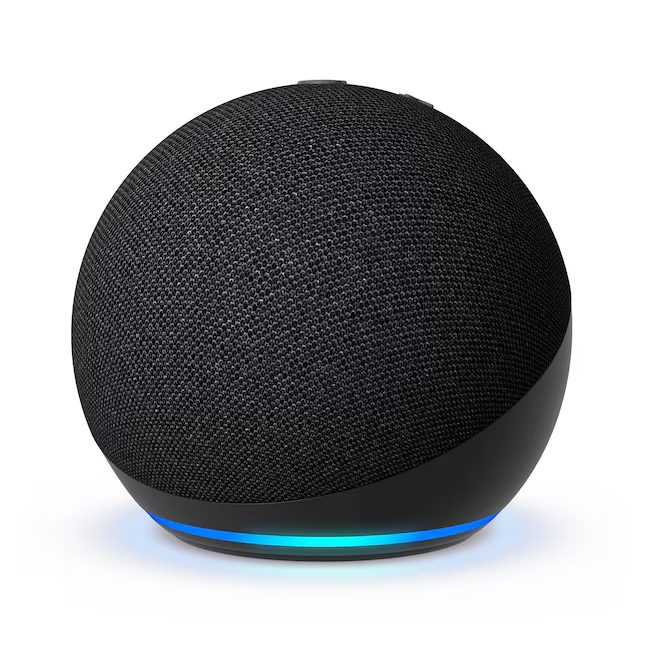
It measures 3.9 inches in diameter and 3.5 inches tall, making it small enough to sit on a nightstand, kitchen counter, or office desk without taking up meaningful space. It connects to your home via Wi-Fi and optionally via Bluetooth, and it comes in three colors: Charcoal, Glacier White, and Deep Sea Blue.
Quick Specs
| Spec | Detail |
| Release Date | October 2022 |
| Price (MSRP) | ~$49.99 |
| Dimensions | 3.9 in (diameter) x 3.5 in (height) |
| Weight | 10.7 oz (304g) |
| Connectivity | Wi-Fi (dual-band 802.11 a/b/g/n/ac), Bluetooth 5.0 |
| Speaker | 1.73-inch front-firing driver |
| Colors Available | Charcoal, Glacier White, Deep Sea Blue |
| Voice Assistant | Amazon Alexa |
| Temperature Sensor | Yes (new in 5th Gen) |
| Eero Built-in | Yes (acts as a Wi-Fi range extender) |
| Power | AC adapter (included) |
What’s New in the Echo Dot 5th Gen vs. the 4th Gen?
If you already own the Echo Dot 4th Gen, this is the section you need. The short answer: the 5th Gen is a refinement, not a reinvention. Amazon improved the right things, but the gap between the two generations is narrower than the marketing suggests.
Here’s exactly what changed.
What Changed: 5th Gen vs. 4th Gen
| Feature | Echo Dot 4th Gen | Echo Dot 5th Gen | Improvement? |
| Speaker driver | 1.6-inch | 1.73-inch | ✅ Slightly larger, louder and clearer |
| Bass response | Limited | Improved with new Adaptive EQ | ✅ Noticeably better at higher volumes |
| Adaptive EQ | No | Yes | ✅ Automatically tunes sound to the room |
| Temperature sensor | No | Yes | ✅ New: lets Alexa trigger automations based on room temp |
| Eero Wi-Fi extender | No | Yes | ✅ New: helps extend your home Wi-Fi network |
| Motion detection | No | Yes (with clock variant) | ✅ New in With Clock version only |
| Alexa processing speed | Slower | Faster | ✅ Noticeably quicker wake and response time |
| Design | Spherical | Spherical (refined) | Neutral: very similar, slightly smaller footprint |
| Price at launch | $49.99 | $49.99 | Neutral: same price point |
| Bluetooth version | 5.0 | 5.0 | No change |
| Wi-Fi | Dual-band | Dual-band | No change |
Should You Upgrade From the 4th Gen?
Probably not, unless one of these applies to you:
- You want the temperature sensor. This is the most practical new feature. It lets you build Alexa routines like “turn on the fan when the room hits 75 degrees,” which the 4th Gen simply cannot do.
- Your home Wi-Fi has dead zones. The built-in eero extender can quietly improve your network coverage without buying a separate device.
- Sound quality matters to you. The improvement is real but modest. If your 4th Gen already sounds fine to you, you likely won’t notice enough difference to justify the cost.
For everyone else, the 4th Gen still works well. If you see the 5th Gen on sale (Amazon frequently discounts it to $25 to $35), that changes the math considerably.
Who Should Buy the 5th Gen Fresh?
If you don’t already own an Echo Dot, the 5th Gen is the only version worth buying today. The 4th Gen is being phased out of mainstream retail, and the 5th Gen delivers better performance at the same price. There’s no reason to hunt down an older model.
Who Is It For?
It’s a great fit if you:
- Are new to smart home tech and want an easy, low-risk entry point
- Already use Amazon services like Prime, Music, or Audible, and want them hands-free
- Want to add a smart speaker to a bedroom, kitchen, office, or small apartment without spending much
- Own or plan to own smart home devices and want a reliable hub for voice control
- Are building a multi-room Alexa setup and need an affordable way to add more rooms
- Gave someone a smart home device as a gift and want a simple companion speaker to go with it
You should probably skip it if you:
- Are already invested in the Apple ecosystem. The HomePod mini will serve you better with Siri and HomeKit
- Use Google services primarily. The Nest Mini integrates more naturally with Google Home and Google Assistant
- Care deeply about audio quality. The Echo Dot is a capable small speaker, not an audiophile device
- Already own the Echo Dot 4th Gen and are satisfied with it. The upgrade is not significant enough to justify the cost unless the temperature sensor or eero extender are features you specifically need
- Want a screen for video calls or visual content. Consider the Echo Show line instead
Quick Buyer Match
| You prioritize… | Best pick |
|---|---|
| Affordability + Alexa ecosystem | Echo Dot 5th Gen |
| Google services + Android | Google Nest Mini |
| Apple devices + HomeKit | Apple HomePod mini |
| Best possible audio quality | Sonos One Gen 2 |
| Video calls + visual display | Amazon Echo Show 5 |
Key features of Amazon Echo Dot 5th Gen
1. Sound Quality and Adaptive EQ
The 5th Gen uses a 1.73-inch front-firing speaker driver, slightly larger than the 4th Gen’s 1.6-inch driver. The difference is audible. Mids and highs are cleaner, voices in podcasts and audiobooks are noticeably clearer, and the speaker handles higher volumes without distortion.
The bigger upgrade is Adaptive EQ, a feature new to the 5th Gen. It automatically analyzes the acoustics of the room it’s in and adjusts the sound in real time to compensate. Put it in a small tiled bathroom versus a carpeted bedroom and it will actually sound different, tuned to each space. It’s not magic, and the bass is still limited by the speaker’s physical size, but for a $50 device it performs well above its price bracket.
Best for: Bedrooms, kitchens, offices, and small living spaces. Not a replacement for a dedicated Bluetooth speaker or home audio system.
2. Alexa Voice Assistant
Alexa on the 5th Gen is faster and more accurate than on previous Echo Dot models. Wake word detection has improved, meaning fewer missed commands and fewer accidental activations. Multi-step commands like “Alexa, turn off the living room lights, set a timer for 20 minutes, and play jazz” are handled reliably in a single request.
Beyond the basics, Alexa can manage calendar events, read Kindle books aloud, place calls to other Echo devices or phone numbers, drop in on other rooms in your home, and run complex automation routines across your smart home.
Worth knowing: Alexa’s intelligence depends partly on your Amazon account and connected services. The more you use it, the more personalized its responses become.
3. Smart Home Integration
The Echo Dot 5th Gen works with over 100,000 smart home devices across platforms including Amazon Smart Home, Zigbee, Matter, and Thread. It’s compatible with major brands like Philips Hue, Ring, Nest, Ecobee, TP-Link, and hundreds of others.
Voice commands cover the full range: turning devices on and off, dimming lights, locking doors, adjusting thermostats, checking camera feeds, and running multi-device routines with a single phrase. You can also create time-based or condition-based automations in the Alexa app without any coding or technical setup.
Worth knowing: The Echo Dot 5th Gen does not have a built-in Zigbee hub (that’s the Echo 4th Gen and Echo Plus). For Zigbee devices, you’ll need a separate hub or a compatible Echo that includes one.
4. Temperature Sensor and Eero Wi-Fi Extender
These are the two features that meaningfully separate the 5th Gen from the 4th Gen in practical terms.
The built-in temperature sensor lets Alexa monitor room temperature passively and trigger automations based on it. For example: “Turn on the fan when this room reaches 76 degrees” or “Turn on the humidifier if it drops below 40% humidity” (when paired with a humidity sensor). It’s a small addition with real smart home utility, especially for users building climate-aware home automations.
The built-in eero Wi-Fi extender is a quieter but equally useful feature. If your home has Wi-Fi dead zones, the Echo Dot 5th Gen can act as a passive range extender for eero mesh networks without any additional setup. It won’t replace a dedicated mesh node, but for borderline coverage areas it can make a meaningful difference.
Worth knowing: The eero extender feature requires an existing eero router or eero mesh network to function.
5. Privacy and Microphone Controls
The Echo Dot 5th Gen includes a physical microphone off button on the top of the device. When pressed, the ring turns red, confirming the microphones are hardware-disabled, meaning even Amazon cannot hear what’s said until you turn them back on. This is not a software mute; it’s a physical circuit break.
Additional privacy controls available through the Alexa app include:
- Reviewing and deleting your voice recording history at any time
- Setting automatic deletion on a rolling 3-month or 18-month schedule
- Disabling the use of voice recordings to improve Alexa’s responses
- Turning off personalized suggestions based on your activity
Worth knowing: The device does require Wi-Fi and an Amazon account to function. If full local privacy is a requirement for you, a smart speaker may not be the right category of device regardless of brand.
Performance and Daily Use
Performance and Daily Use
We tested the Echo Dot 5th Gen over two weeks across four use cases: music playback, voice command accuracy, smart home control, and daily task management. Here’s what we found in each area.
Music and Audio Performance
For a $50 speaker, the Echo Dot 5th Gen sounds genuinely good. Vocals and mids are clear, high-frequency detail is crisp, and the Adaptive EQ does make an audible difference when moving the device between rooms. We tested it in a 120-square-foot bedroom and a 200-square-foot open kitchen, and the tuning shift was noticeable in both spaces.
Bass is the honest limitation. At moderate volumes (around 50 to 60 percent) the low end is present but thin. Push it past 70 percent and the bass compresses noticeably, and the speaker starts to lose some of its clarity. For background music, podcasts, and audiobooks it performs well above its price. For bass-heavy genres like hip-hop, EDM, or home theater use, it will disappoint.
Streaming quality matters here too. Amazon Music HD and Spotify Premium both sounded noticeably better than YouTube Music at standard quality. If you use a lower-quality streaming tier, the speaker’s limitations become more apparent.
Verdict: Great for casual listening in small to medium rooms. Not a primary music speaker for serious listeners.
Voice Command Accuracy
This is where the 5th Gen earns its keep. Wake word detection was reliable across the two-week test period, including from across a room with music playing at 40 percent volume. We logged fewer than five missed wake words in over 200 commands, a meaningful improvement over the 4th Gen in our experience.
Multi-step commands performed well. Requests like “Alexa, dim the bedroom lights to 30 percent, play sleep sounds, and set an alarm for 7am” were handled correctly in a single command without requiring repetition. Complex natural language requests, such as asking for a recipe and then asking follow-up questions about it, worked reliably with minimal rephrasing needed.
Where it struggled: Alexa occasionally misheard proper nouns, particularly playlist names and contact names with unusual spellings. Background TV noise (above 50 percent volume) caused occasional missed commands.
Verdict: Voice accuracy is one of the strongest aspects of this device. It outperforms the Google Nest Mini in noisy environments based on our testing.
Smart Home Control
Controlling lights, plugs, and a thermostat via voice commands was fast and consistent throughout testing. Response times for basic on/off commands averaged under two seconds. Dimming and color temperature adjustments on Philips Hue bulbs were handled accurately on the first attempt in most cases.
The occasional lag we noticed was specific to third-party integrations using cloud-to-cloud connections rather than direct local control. Devices that use local control protocols (like Matter or Thread) responded noticeably faster than those routing commands through an external cloud service. This is an ecosystem issue rather than a flaw with the Echo Dot itself, but it’s worth knowing if your smart home setup relies heavily on third-party cloud integrations.
Verdict: Solid and reliable for most setups. If you experience lag, the issue is likely your device’s integration type, not the Echo Dot.
Daily Task Management
Reminders, timers, shopping lists, calendar events, and weather updates all worked without friction throughout the testing period. The Echo Dot handled overlapping timers correctly (a common kitchen use case), read back calendar events accurately when connected to a Google Calendar, and added shopping list items reliably even when dictated quickly.
Drop-in calling between two Echo devices in the same home worked well. Inter-device call quality was clear with no noticeable lag. Calling external phone numbers through Alexa Calling was functional but audio quality on the receiving end was average.
Verdict: Excellent for everyday task management. A strong fit for kitchen, bedroom, or home office use.
How to Set Up the Amazon Echo Dot 5th Gen
Setup takes under five minutes and requires only your smartphone and a Wi-Fi password. Here’s the complete process from unboxing to first voice command.
What You’ll Need
- The Echo Dot 5th Gen and its included power adapter
- A smartphone (iOS or Android)
- The free Amazon Alexa app (available on the App Store and Google Play)
- Your home Wi-Fi network name and password
- An Amazon account (free to create if you don’t have one)
Step-by-Step Setup
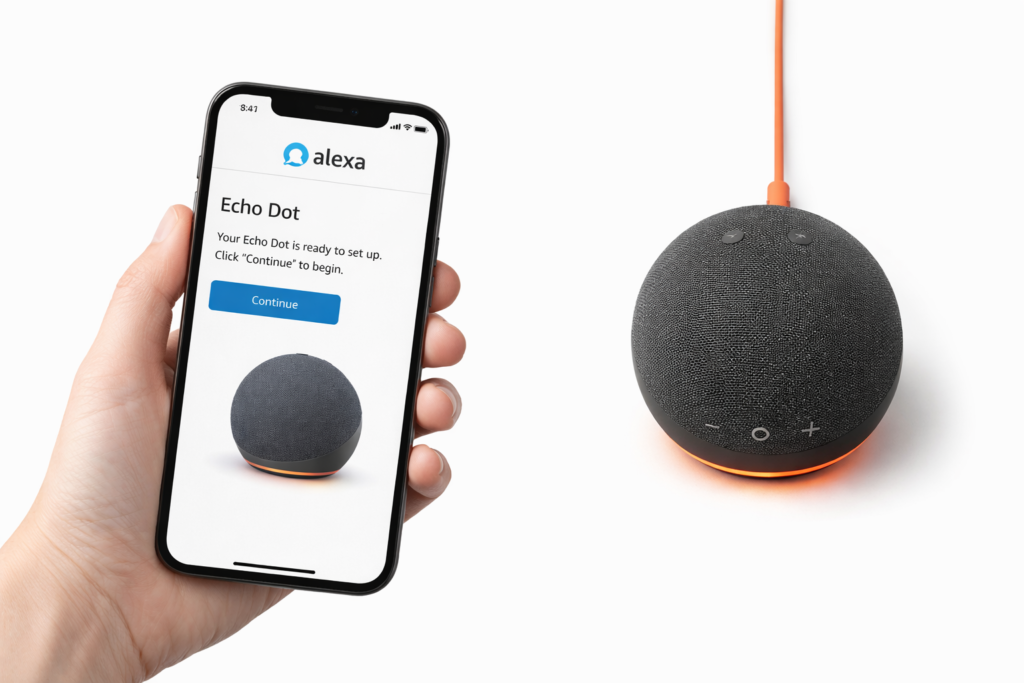
Step 1: Plug it in. Connect the Echo Dot to power using the included adapter. The LED ring will spin orange, indicating it’s ready to be set up. This takes about 30 seconds.
Step 2: Download the Alexa app. If you don’t already have it, download the Amazon Alexa app on your smartphone. Sign in with your Amazon account or create one for free.
Step 3: Add a new device. In the Alexa app, tap the Devices icon (bottom right), then tap the “+” button in the top right corner, and select “Add Device.” Choose Amazon Echo, then Echo Dot.
Step 4: Select your device. The app will detect your Echo Dot automatically and display it on screen. Tap it to continue.
Step 5: Connect to Wi-Fi. Select your home Wi-Fi network from the list and enter your password. The app handles the rest. The LED ring will turn blue briefly, then solid blue, confirming a successful connection.
Step 6: Name your device and choose a room. Give your Echo Dot a name (for example, “Bedroom” or “Kitchen”) and assign it to a room in the app. This is what you’ll use to control it by voice when you have multiple Echo devices.
Step 7: Say your first command. Say “Alexa, play some music” or “Alexa, what’s the weather today?” to confirm everything is working. The ring will light up blue with each command.
First Things to Do After Setup
Once your Echo Dot is running, these are worth doing right away:
- Link your music service. Go to Settings in the Alexa app, select Music and Podcasts, and connect Spotify, Amazon Music, Apple Music, or whichever service you use. Set it as your default.
- Connect your smart home devices. Tap Devices in the app, then “+” to add lights, plugs, thermostats, or other compatible devices.
- Set your wake word preference. The default is “Alexa” but you can change it to “Amazon,” “Echo,” or “Ziggy” in device settings if you prefer.
- Review your privacy settings. Go to Settings, select your device, then Manage Your Alexa Data to configure voice recording history and automatic deletion.
- Create your first routine. Go to the More menu, tap Routines, and set up a morning or evening automation. For example: “Good morning” turns on the lights, reads your calendar, and plays your preferred station.
Troubleshooting: If Something Goes Wrong
| Problem | Most Likely Cause | Fix |
|---|---|---|
| Ring stays orange and won’t connect | Wrong Wi-Fi password entered | Restart setup in the Alexa app and re-enter credentials |
| App can’t find the device | Bluetooth or location permissions not granted | Enable both in your phone’s settings and retry |
| Alexa doesn’t respond to wake word | Microphone is muted | Check for a red ring; press the mic button on top to unmute |
| Device connects but sounds distorted | Volume too high on first use | Lower volume to 50 percent and adjust from there |
| Smart home devices not responding | Device not yet linked in Alexa app | Go to Devices in the app and add them manually |
What is the difference between the Amazon Echo Dot 5th Gen and other competitors?
able
| Echo Dot 5th Gen | Google Nest Mini 2nd Gen | Apple HomePod mini | Sonos Era 100 | |
|---|---|---|---|---|
| Price (MSRP) | ~$49.99 | ~$49.99 | ~$99.00 | ~$249.00 |
| Voice Assistant | Alexa | Google Assistant | Siri | Alexa + Sonos Voice |
| Sound Quality | Good for size; Adaptive EQ; limited bass | Decent for casual use; lighter than Dot | Rich, balanced sound; strong bass for its size | Excellent; best audio in this group by a significant margin |
| Smart Home Integration | Very strong; works with 100,000+ devices; Matter and Thread support | Strong within Google Home ecosystem; Matter support | Best for HomeKit; limited outside Apple ecosystem | Works with most platforms; prioritizes audio over assistant features |
| Built-in Hub | No built-in Zigbee hub | No | No | No |
| Unique Feature | Temperature sensor; eero Wi-Fi extender | Google Search integration | Intercom across Apple devices; spatial audio | Trueplay room calibration; hi-res audio support |
| Privacy Controls | Physical mic off button; voice history deletion | Physical mic off button | On-device processing; no recordings sent to Apple | Physical mic off button |
| Best For | Budget Alexa buyers; smart home beginners; multi-room setups | Google ecosystem users; Android households | Apple users; HomeKit households; sound-first compact buyers | Music lovers; anyone prioritizing audio quality over price |
Bottom Line by Buyer Type
- Best overall value: Echo Dot 5th Gen. Hard to beat at $50 for Alexa capability and smart home reach.
- Best for Google users: Google Nest Mini 2nd Gen. Matches the Echo Dot on price and integrates more naturally with Android and Google services.
- Best for Apple users: Apple HomePod mini. Worth the higher price if you’re in the Apple ecosystem and care about sound quality.
- Best audio quality: Sonos Era 100. If music is the priority and budget is flexible, nothing in this group comes close.
Frequently Asked Questions About the Amazon Echo Dot 5th Gen
Does the Amazon Echo Dot 5th Gen require an Amazon Prime subscription?
No. The Echo Dot 5th Gen works without an Amazon Prime membership. You can use Alexa for smart home control, reminders, timers, weather, and general questions entirely for free. However, some features work better with Prime or paid subscriptions. Amazon Music’s full catalog requires either Amazon Music Unlimited or a Prime membership. Audible audiobooks require an Audible subscription. Prime members also get access to a larger free music catalog than non-Prime users. The core device functionality is not paywalled.
Can you use the Echo Dot 5th Gen without Wi-Fi?
Not fully. The Echo Dot requires a Wi-Fi connection to access Alexa, stream music, and control smart home devices. Without Wi-Fi, Alexa does not respond to voice commands. However, you can pair the Echo Dot to a smartphone or Bluetooth speaker via Bluetooth and use it as a passive Bluetooth speaker for locally stored audio, though Alexa functionality will be unavailable in this mode. A stable 2.4GHz or 5GHz Wi-Fi connection is required for normal use.
What is the difference between the Echo Dot 5th Gen and the Echo Dot 5th Gen with Clock?
The Echo Dot with Clock adds a small LED display on the front of the device that shows the time, timers, alarms, temperature, and song titles. It also includes a motion detection feature that lights up the display when it senses movement nearby, which is useful as a bedside clock. The with Clock version typically costs $10 more than the standard model. The audio hardware, Alexa capabilities, temperature sensor, and eero extender are identical between both versions. If you plan to use it in a bedroom or anywhere you’d glance at a clock, the upgrade is worth the extra cost.
How does the Echo Dot 5th Gen protect your privacy?
The Echo Dot 5th Gen includes a physical microphone off button on top of the device. When activated, the LED ring turns red and the microphones are hardware-disabled, meaning they cannot pick up audio regardless of software state. Amazon does not process audio when the mic is off. Through the Alexa app, you can review all stored voice recordings, delete them individually or in bulk, set automatic deletion on a rolling schedule (3 months or 18 months), and opt out of having recordings used to improve Alexa’s responses. The device does require an active internet connection and Amazon account to function, so it is not a fully local or offline privacy solution.
Can the Echo Dot 5th Gen act as a Bluetooth speaker for my phone?
Yes. The Echo Dot 5th Gen supports Bluetooth 5.0 and can pair with any smartphone, tablet, or computer as a standard Bluetooth speaker. You can stream audio directly from your phone without using Alexa or Wi-Fi in this mode. To pair, say “Alexa, pair Bluetooth” and select the Echo Dot from your phone’s Bluetooth settings. Note that Alexa voice commands are not available when using the device purely as a Bluetooth speaker without a Wi-Fi connection.
Is the Echo Dot 5th Gen worth it if I already own the 4th Gen?
Probably not for most people. The core experience, sound quality, and Alexa capabilities are similar enough that everyday users are unlikely to notice a meaningful difference. The upgrade makes most sense if you specifically want the built-in temperature sensor for smart home automations, the eero Wi-Fi extender for improved home network coverage, or the slightly improved sound from the larger driver and Adaptive EQ. If you see the 5th Gen on sale for $25 to $35 (which happens frequently during Amazon sales events), the upgrade becomes easier to justify. At full price, it is a better buy for new Echo Dot owners than as a replacement for a working 4th Gen.
Does the Echo Dot 5th Gen work with Google Home or Apple HomeKit?
Partially. The Echo Dot 5th Gen supports the Matter smart home standard, which allows it to control Matter-certified devices that also work with Google Home and Apple HomeKit. However, the Echo Dot itself runs on Alexa and does not natively integrate into the Google Home or Apple Home apps as a controllable device. If your smart home is primarily built around Google Home or HomeKit, the Google Nest Mini or Apple HomePod mini will offer a more seamless experience than the Echo Dot.
Final Thoughts: Is the Amazon Echo Dot 5th Gen Worth Buying in 2026?
Yes, for most buyers, and the reasoning is straightforward.
At around $50, the Echo Dot 5th Gen delivers fast, reliable Alexa performance, genuinely improved sound over its predecessor, and a smart home integration range that no competing device at this price comes close to matching. The addition of the temperature sensor and eero Wi-Fi extender give it practical utility that the 4th Gen simply doesn’t have. We scored it 4 out of 5, and that score reflects a device that does exactly what it promises, without pretending to be something it’s not.
It earns a confident recommendation for three specific types of buyers. If you are new to smart home tech and want the easiest possible entry point, this is it. If you are expanding an existing Alexa setup and need an affordable way to add a room, this is the obvious choice. If you want a compact, reliable daily assistant for music, reminders, and home control, the Echo Dot 5th Gen handles all of it without friction.
Two groups should look elsewhere. If you own the 4th Gen and are satisfied with it, the upgrade is not worth full price unless the temperature sensor or eero extender are features you specifically need. And if you are an Apple or Google household, the HomePod mini and Nest Mini will serve you better within those ecosystems.
The Echo Dot 5th Gen is not the most exciting device Amazon has ever made. It is, however, one of the most consistently useful ones at its price. That matters more.
Ready to Buy?
The Echo Dot 5th Gen is currently available on Amazon, often at a discount below its $49.99 MSRP, especially around Prime Day, Black Friday, and Amazon’s seasonal sales events. If you see it at $35 or below, it is an exceptional value with very little risk.
Check the current price on Amazon →
We may earn a small commission if you purchase through our link, at no extra cost to you. This never influences our reviews or recommendations.
Keep Exploring
If you found this review helpful, these related guides on TechSensePro may also be useful:
- Echo Dot 5 vs Google Nest Mini 2: Which Should You Buy? — A deeper head-to-head if you’re deciding between the two.
- Smart Speaker Buying Guide: 7 Expert Tips for 2026 — For buyers who want to understand the full market before committing.
- Smart Home Technology: 9 Ways to Transform Your Home — For anyone just getting started with smart home devices.